

Authentication
The Mentium TMS API uses API keys for authentication. Each request must include your API key in the X-API-Key header.
API Key Format
API keys have the following format:
mtm_xxxxxxxxxxxxxxxxxxxxxxxxxxxxxxxxxxxxxxxxxxxxxxxxxxxxxxxxxxxxxxxx- Prefix:
mtm_(Mentium) - Key: 64 hexadecimal characters
Using Your API Key
Include your API key in the X-API-Key header with every request:
curl -X GET "https://api.mentium.io/v2/tms-api/locations" \
  -H "X-API-Key: mtm_your_api_key_here"
WARNING
Never share your API key or commit it to version control. Treat it like a password.
Managing API Keys
Creating an API Key
Before you can create an API key, make sure your org has the Mentium TMS API integration connected.
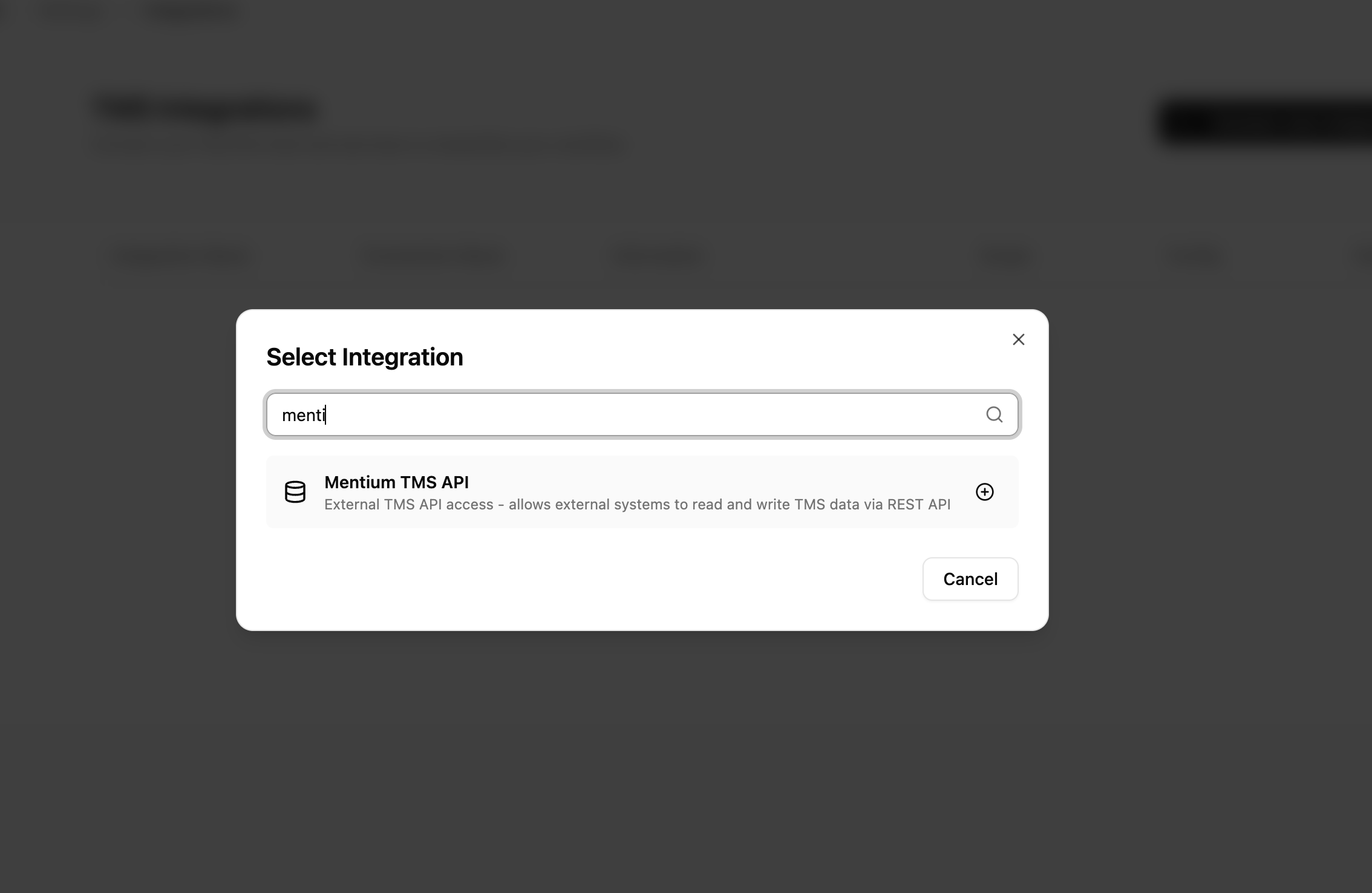
- Go to Settings → TMS Integrations
- Click Add Integration
- Search for Mentium TMS API and select it
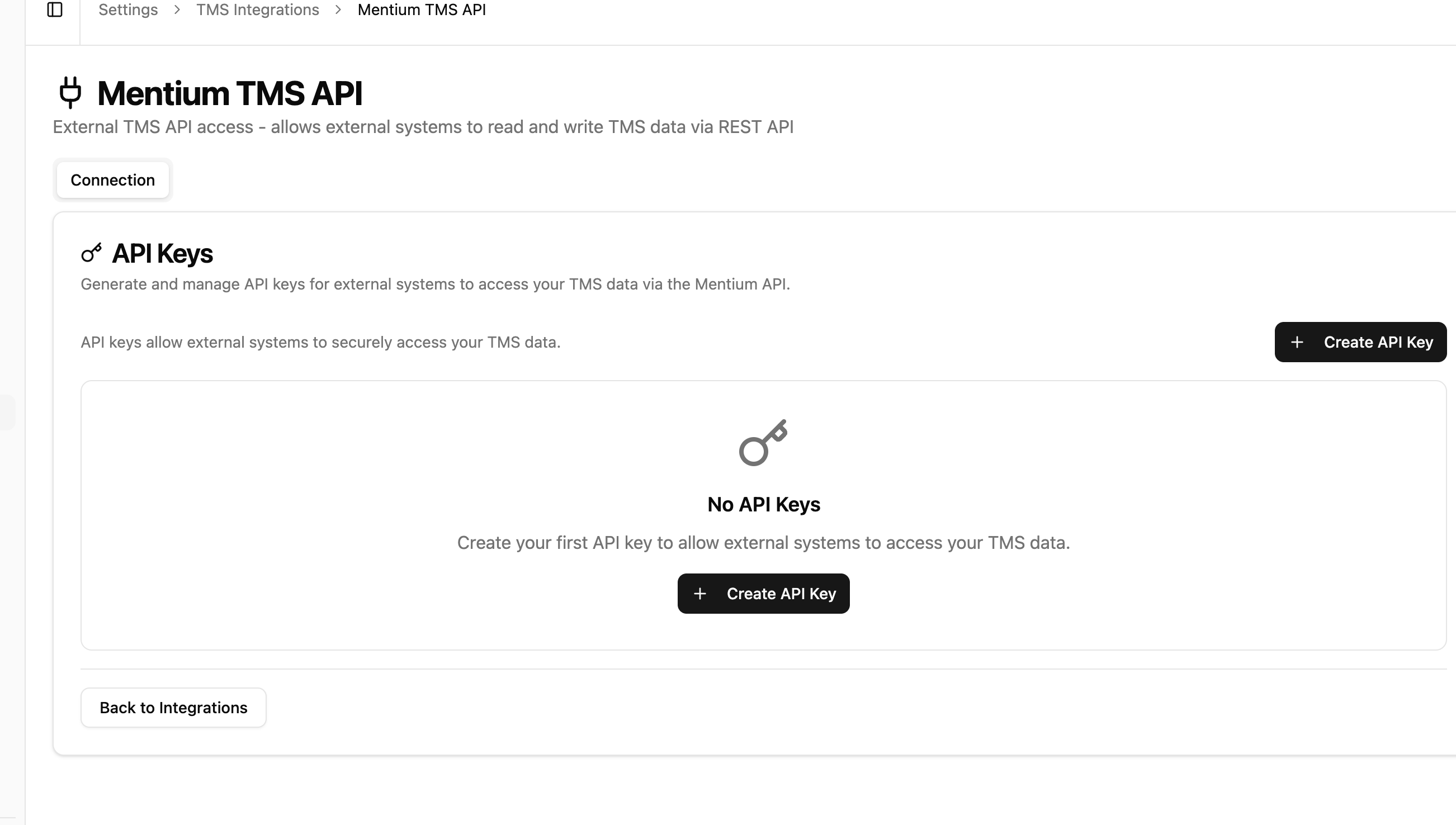
- Open the Mentium TMS API integration and go to the API Keys section
- Click Create API Key
- Enter a descriptive name (e.g., "Production WMS Integration")
- Enter the external system name
- Select the permissions (scopes) you need
- Click Create
- Copy the key immediately - it won't be shown again
Revoking an API Key
If your API key is compromised:
- Go to Settings → API Keys
- Find the key you want to revoke
- Click the Revoke button
- Confirm the action
The key will be immediately invalidated and all requests using it will fail.
Rotating an API Key
To rotate a key without downtime:
- Go to Settings → API Keys
- Click Rotate on the key you want to replace
- Copy the new key
- Update your integration with the new key
- The old key is automatically revoked
Scopes (Permissions)
API keys can have different scopes that control what operations they can perform:
| Scope | Description |
|---|---|
read:locations | Read location data |
write:locations | Create and update locations |
read:loads | Read load/shipment data |
write:loads | Create and update loads |
read:carriers | Read carrier data |
write:carriers | Create and update carriers |
read:customers | Read customer data |
write:customers | Create and update customers |
write:rates | Create market rate snapshots |
Rate Limits
Each API key has configurable rate limits:
- Per minute: Default 100 requests/minute
- Per day: Default 10,000 requests/day
See Rate Limits for more details.
Security Best Practices
Use environment variables
Store your API key in environment variables, not in code:
export MENTIUM_API_KEY="mtm_your_key_here"Use separate keys for environments
Create different API keys for development, staging, and production environments.
Limit scopes
Only request the scopes your integration actually needs.
Monitor usage
Regularly review API key usage in your dashboard to detect anomalies.
Rotate keys periodically
Rotate your API keys periodically as a security best practice.
Error Responses
If authentication fails, you'll receive one of these responses:
401 Unauthorized
{
  "error": {
    "code": "UNAUTHORIZED",
    "message": "Invalid or missing API key"
  }
}
403 Forbidden
{
  "error": {
    "code": "FORBIDDEN",
    "message": "API key does not have the required scope: write:loads"
  }
}